

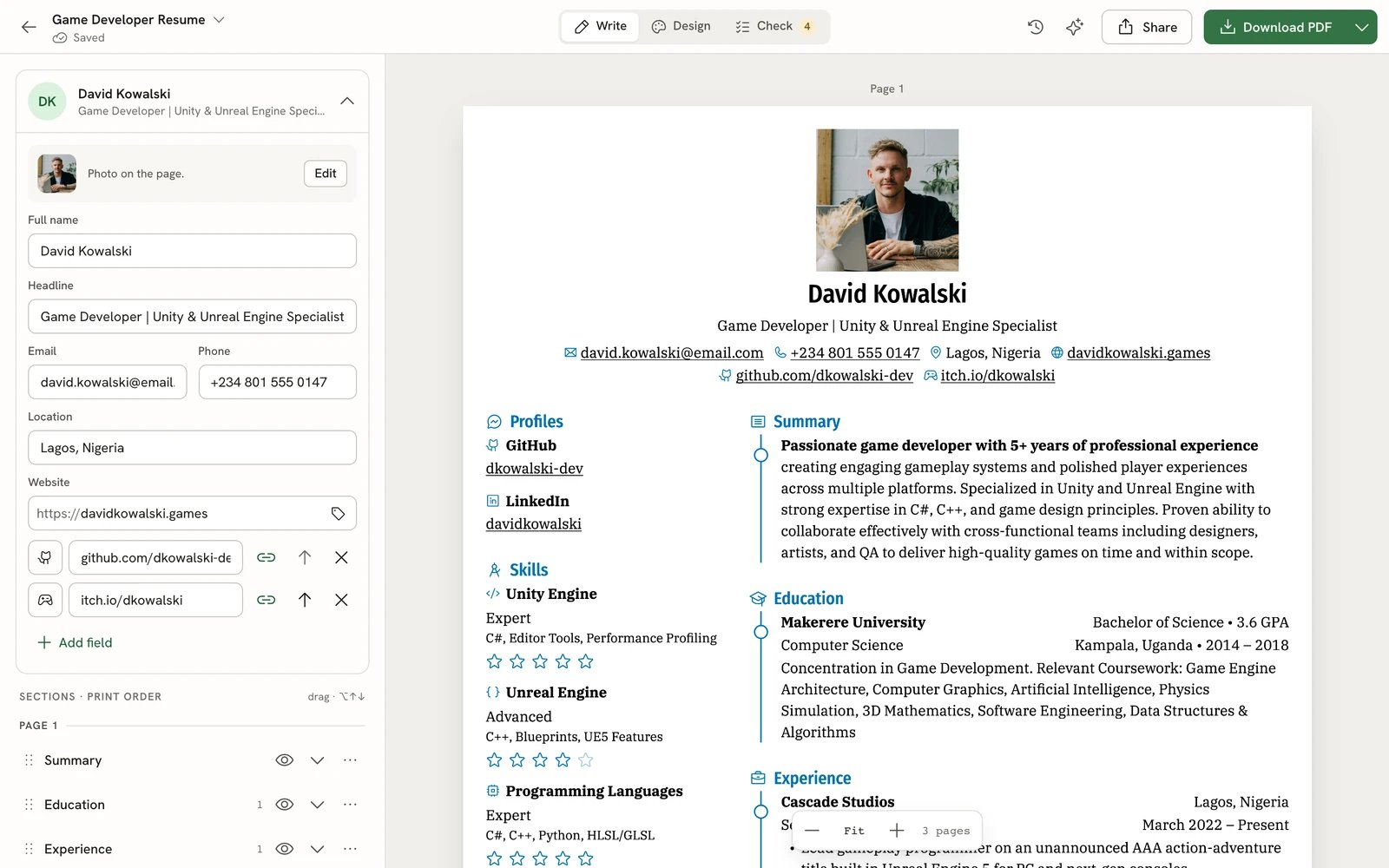
The editor: your details on the left, the page as it will print on the right
What you can do with it
Write resumes and cover letters
Keep every resume and letter in Documents. Start blank, from a sample, or by importing a PDF, Word file, JSON or
LinkedIn export.
Design the page
Pick from 18 templates, then adjust fonts, colors, page size and layout. The page updates as you type.
Check before you send
Check mode points out issues on the lines they belong to and compares your resume with a job posting.
Share and download
Download a PDF, Word, OpenDocument, Markdown or JSON file, or publish a link that you can protect with a password.
Track job applications
Follow each application from saved to offer in a list, board or calendar, and see what’s working in Insights.
Get help from an assistant
Connect your own AI provider, and the assistant proposes edits you accept or reject one by one.
Who it’s for
CViva is for anyone applying for jobs. You don’t need design skills or an account with any other service. The app is available in 55 languages, works on phones, tablets and computers, and has light and dark themes. Create a free account at getcviva.com and start writing.Your data
Your resumes belong to you. You can download any document as JSON and import it back later, export everything in your account from Settings, and delete your account at any time.Get started
Quickstart
Create an account, build a resume from a sample and download your first PDF in about ten minutes.
What's new in v6
Used CViva before? See what changed and where things moved.
Video guides
Watch short walkthroughs of creating, improving and sharing a resume, writing a cover letter and tracking
applications.
Get help
Email support
Ask a question about using CViva or report a problem.